If a metal barcode tag will not scan, first confirm that the reader supports the code type and has the required settings enabled. Compare it with a known-readable code of the same type, then check the tag and its installed reading conditions. Do not start by making the marking deeper, enlarging the code or changing the finish.
If the reader returns a value but the content is wrong, take a different path: compare the decoded output with the approved data. A reading problem and a data-content problem need different checks.
I would establish those differences before recommending any change to the tag. An angle change, a different reader or a better result on a desk can help narrow the investigation, but none of those observations proves the cause on its own.
Identify What the Reader Is Doing
“Not scanning” can describe several different results. Record what happens before adjusting the label or equipment.
| What you observe | Start by checking | Keep this distinction clear |
|---|---|---|
| The reader returns no decoded value | Supported code type, reader settings, a readable comparison code and the tag’s condition | No read does not by itself establish a manufacturing defect |
| The reader takes longer than the application allows | The intended reading position and conditions, compared with a known-readable sample | A delayed read is different from a complete failure |
| The same tag reads intermittently | Which distance, angle, lighting or mounting conditions change between attempts | An occasional successful read does not establish stable operation |
| The reader returns unexpected content | The approved encoded value and the returned output | A successful decode does not establish that the content is correct |
Keep a clear photograph of the tag and, where possible, a short video showing the reader and the installed position. Include the reader model, code type and whether the tag is loose or already attached to equipment.
The purpose is to make the observation repeatable. “This tag reads on the desk but intermittently in its installed position” is more useful for an engineering review than “the barcode does not work.”
Check the Reader Before Changing the Label
Confirm the specific code type the project requires and whether the intended reader supports it. Check the relevant settings against the equipment documentation or with the team responsible for the reader. Do not assume that a device described as a barcode scanner accepts every symbol or configuration.
Next, try a known-readable code of the same type with that reader. Keep the conditions as similar as practical. A comparison is less informative if it changes the code type, device and reading position at the same time.
If the comparison code also fails, check the equipment and setup before drawing conclusions about the metal tag. If the comparison reads and the questioned tag does not, inspect the tag and its reading conditions next. Neither result is a complete diagnosis.
For serialized and barcode metal labels, provide the required reader and code information alongside the layout. This connects the manufacturing review to the intended use without treating a label change as the answer to every reading issue.
Use Reading Differences as Clues, Not a Diagnosis
Once the equipment requirements are clear, compare the label’s condition and the circumstances in which it reads.
Inspect for contamination, wear or visibly incomplete marking. Then review the distance, angle, lighting and mounting position. Use the same device and conditions when comparing questioned tags with readable ones, as far as the application allows.
| Difference you observe | Useful next comparison | What the observation does not prove |
|---|---|---|
| Changing the angle makes reading easier | Record both positions and compare the lighting, distance and reader access | It does not prove that reflection is the sole cause |
| Another reader gives a different result | Check both devices’ supported code types, settings and reading requirements | It does not establish that either reader is faulty or that the tag meets the required setup |
| Only some tags are difficult to read | Compare readable and questioned samples under the same conditions; inspect their marking and surface condition | It does not establish that the entire batch is unacceptable |
| A loose tag reads, but an installed tag is inconsistent | Compare access, angle, distance and light in the two positions | It does not prove that the marking process must change |
For metal asset tags, the mounting location is part of this comparison. Show any recess, nearby component or limited approach that affects how the reader reaches the code.
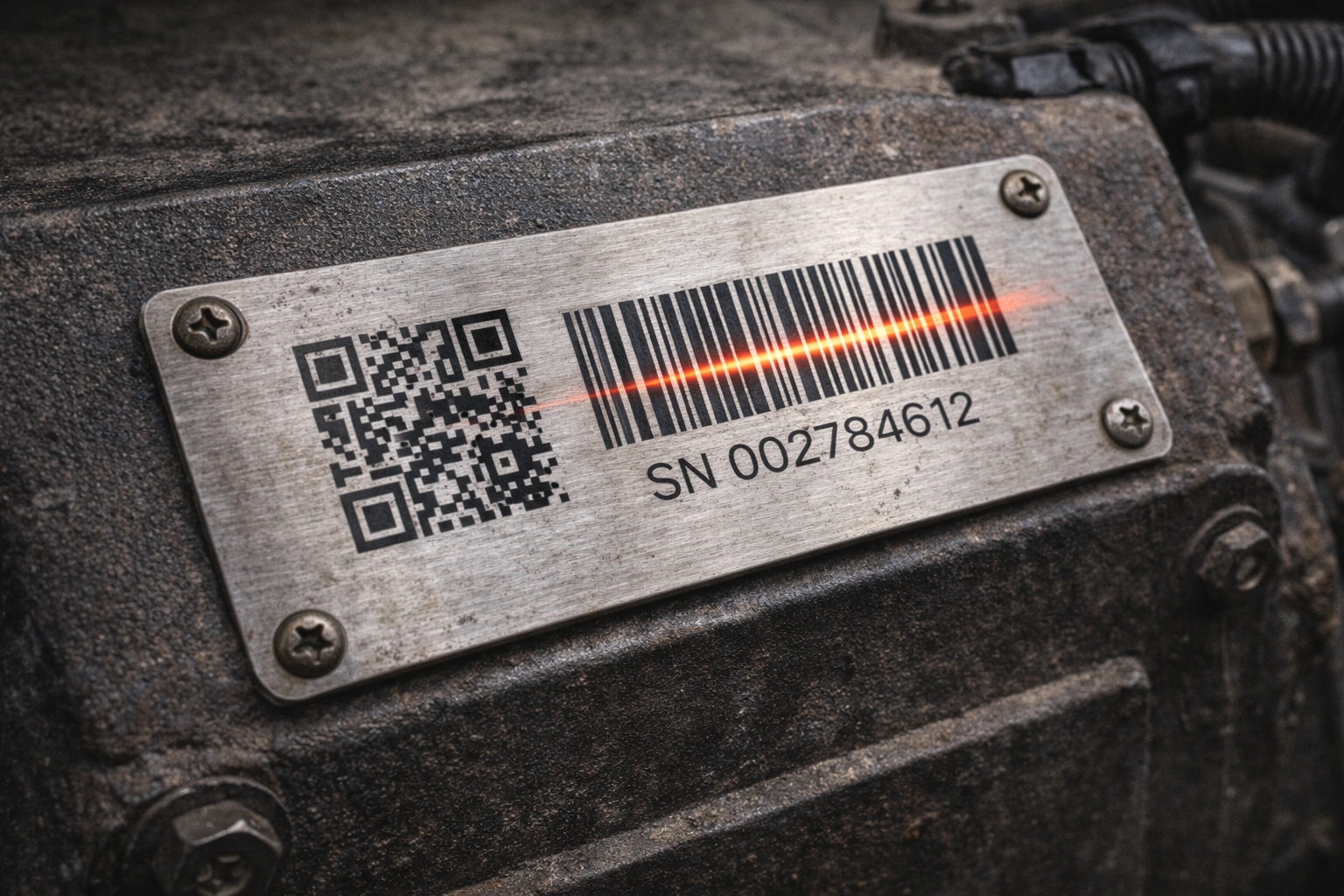
Photographs and videos help communicate the setup. They cannot settle every question about the physical marking or its interaction with the specified reader. If the result remains unclear, use the actual sample and customer equipment for further evaluation rather than diagnosing the cause from an image alone.
Confirm the Cause Before Reworking the Tags
Making a code larger, marking it deeper or changing to a matte finish is a proposed change, not a diagnosis. Each needs a reason tied to the observations and the product requirements.
I would review the available marking area, the completeness of the bars or cells, the surrounding clear area and the distinction between the marking and metal background before choosing an adjustment. A mark that looks clear to the eye still needs checking with the intended reader.
If the evidence points toward a label change, define what the change is intended to improve. Then assess its effect on the approved dimensions, layout, appearance, material or marking route. Do not directly revise the released manufacturing file simply because an alternative reads more easily in one trial.
Agree the proposed change, make a revised sample and compare its performance under the relevant conditions. Keep the new approval reference clear so the sample and production information describe the same part.
Himgo’s manufacturing capabilities provide the context for reviewing physical label requirements. Reader configuration and the customer’s receiving software remain separate responsibilities; a manufacturing review is not a promise to repair either system.
Approve the Sample Against Its Intended Use
Sample approval should confirm the behavior the application needs, not just that a code can be read once under favorable conditions.
Use the actual production or operating reader where practical, with the sample close to its final mounting position. Agree what acceptable performance means for the project and check the following separately:
- Does the device read the sample under the intended conditions?
- Does the decoded content match the approved requirement?
- Is reading fast enough for the intended task?
- Is the result stable across the conditions being evaluated?
There is no universal number of attempts or reading time to insert into this checklist. Those requirements belong to the project. Record the device, sample reference and relevant conditions so both parties understand what the result covers.
If reading remains intermittent, I would not recommend approving the sample for mass production yet. First establish which conditions produce the inconsistent result, evaluate the necessary adjustment and confirm the revised sample. This is a reason to continue the evaluation, not an automatic instruction to reject or remake an entire batch.

Separate a Scan Check from a Verification Grade
A reader successfully decoding a symbol and a formal assessment of marking quality answer different questions. KEYENCE’s barcode verification overview explains verification as an assessment of symbol marking quality against defined criteria.
If your project requires a particular grade, method or report, identify it before sampling. Agree the test conditions, acceptance requirements and reporting responsibility. A routine successful scan is not evidence that the sample meets a specified verification grade, and neither result alone proves long-term readability.
Send the Information Needed for a Review
For a useful discussion, provide the reader model and relevant settings, the required code type, the approved encoded content, and photographs or video of the reading setup. Include questioned samples and a readable comparison where available. Describe whether the symptom affects every tag or only some, and whether it changes after installation.
Also state any timing, stability, verification-grade or reporting requirement. You do not need to identify the cause before asking for a review; the observations and physical samples provide the starting point.
Review how we work for the project and sample-confirmation steps. Then request a project review and quote with your label details and reading observations. Himgo can assess the physical label’s manufacturing requirements and discuss a sample evaluation plan; any special testing or report needs project agreement.